
Show HN: I built a tiny search engine for my notes
312 points · 84 comments
DeepDeck is an open-source, local AI workbench.
Workspaces, modes, models, and the prompt all fall into one natural flow. DeepDeck keeps existing Harness settings and extensions compatible; after guided first-run setup, it is ready for work.
Now available: Browser + WebMCP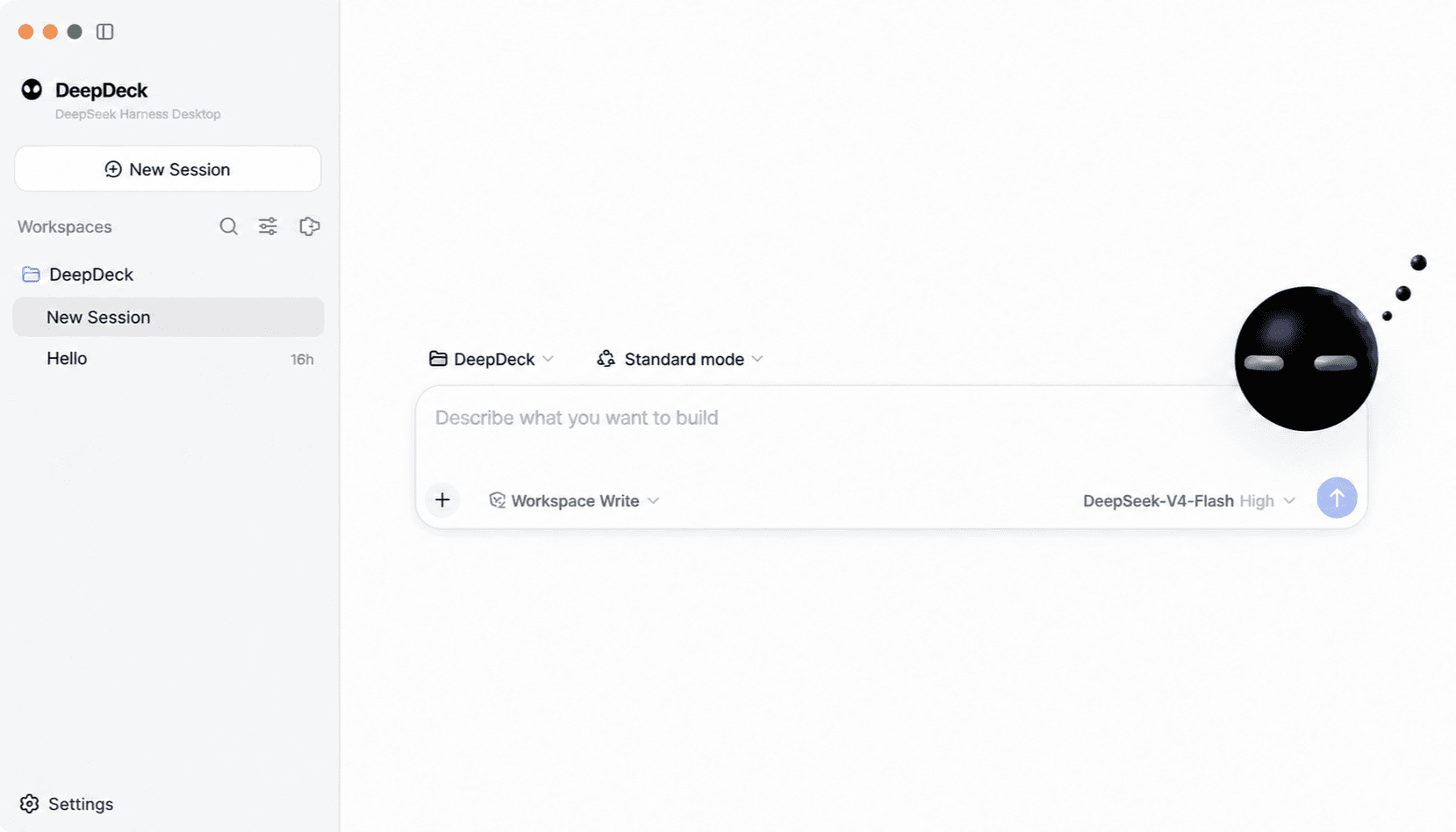
Available now
You set the goal. The Agent explores and uses the website, then saves verified workflows as WebMCP tools for future tasks. No need to teach it every click: existing products become easier for agents to work with.
Download latestFor Apple Silicon and Intel Macs.
REAL TASK · FIGMA
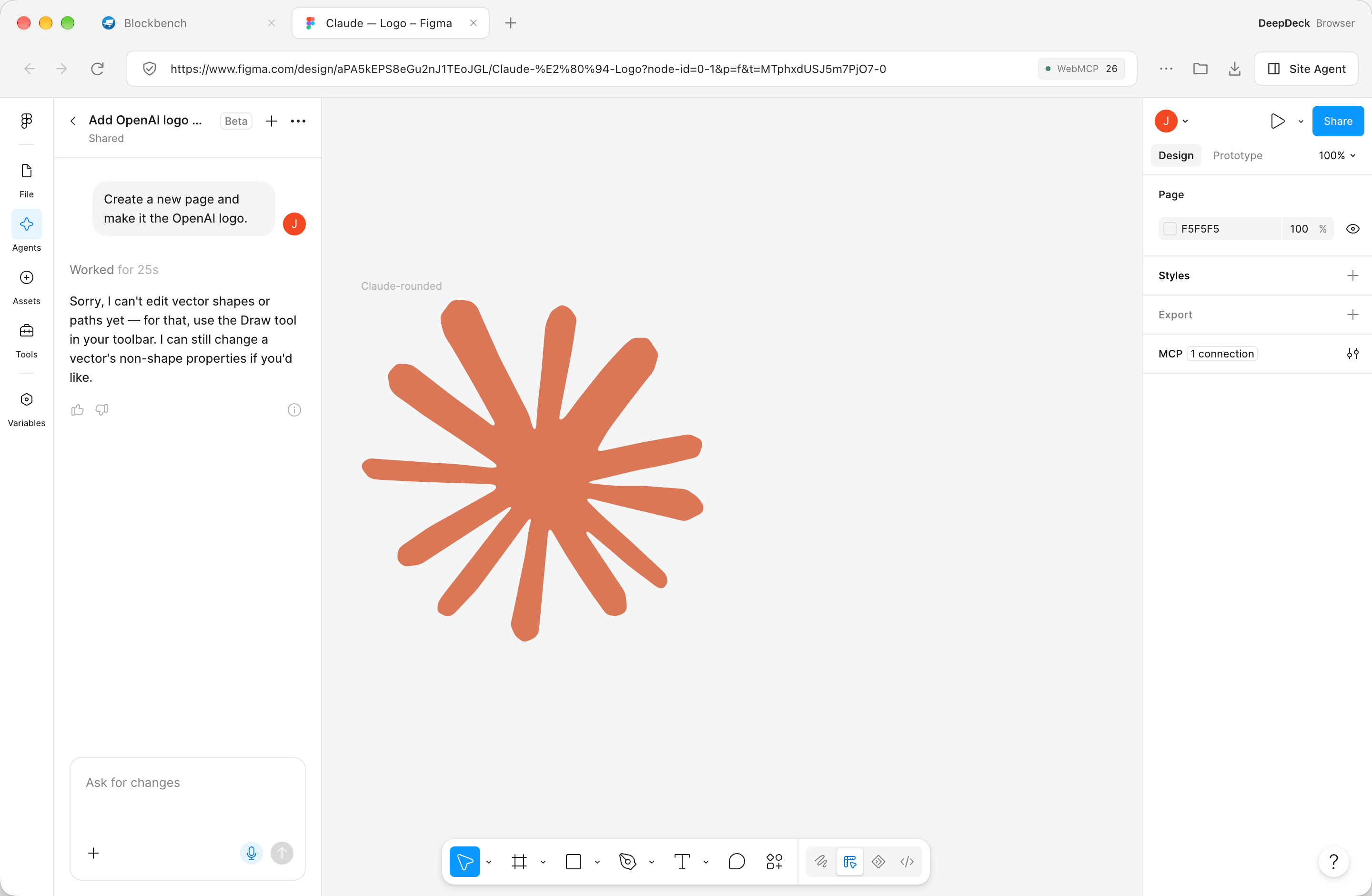
Create a new page and make the OpenAI logo. For this task, Figma Agent said it couldn't edit vector shapes or paths yet. DeepDeck + WebMCP completed it.
The task: create a new page and make the OpenAI logo
Figma Agent suggested using the Draw tool in the toolbar.
A 360 × 360 vector graphic on a newly created OpenAI page.
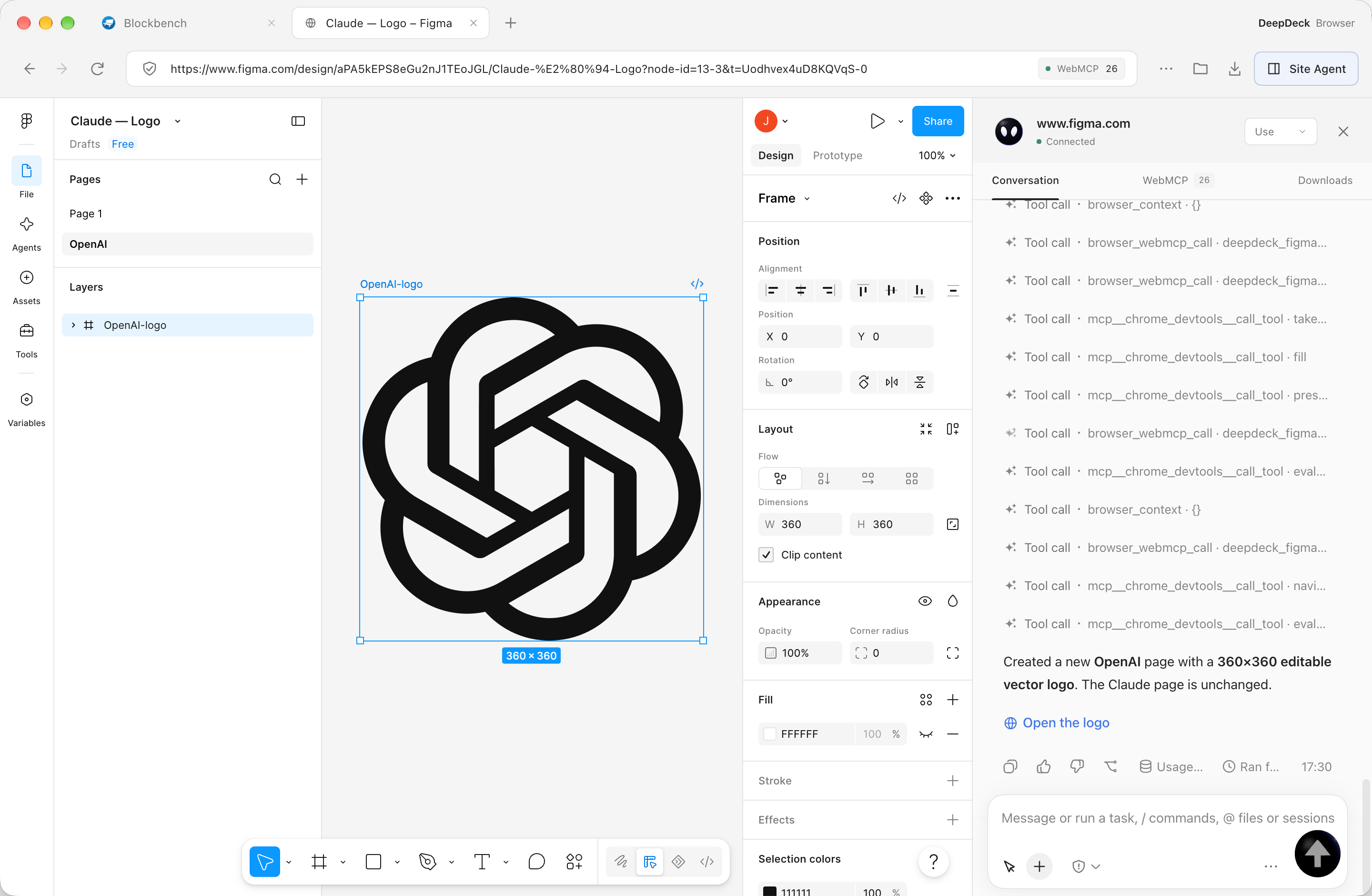
A record of this task. DeepDeck used WebMCP alongside browser tools during execution.
Asking an Agent to build WebMCP is like asking it to use a website and preserve what it learned: how to search, read results, or edit and check a draft. That experience lives in inspectable, executable tools future tasks can reuse. You provide the goal; the Agent discovers the method, verifies the result, and keeps the operations that work.
WebMCP is a proposed web API: websites expose JavaScript functions or HTML forms as tools with natural-language descriptions and structured parameters. Agents can discover what a site does, understand the inputs it needs, and call tools in the current page, sharing the user's interface and browser context.
Explore the WebMCP projectWith ordinary computer use, an Agent reads the page, finds controls, then clicks and types step by step. WebMCP declares website features as tools, so the model knows what it can do, which arguments to provide, and how to call them.
| Compare | Ordinary computer use | WebMCP |
|---|---|---|
| Discovery | Infer what controls do, the page state, and the workflow from screenshots or page structure. | Discover explicit capabilities through tool names, descriptions, and input schemas. |
| Execution | Observe → locate a control → click or type → observe again, one step at a time. | Choose a tool → supply arguments → read its result. The tool handles the corresponding page operations. |
| Reuse | Typically repeat the UI steps; reuse requires separately saving a script or workflow. | DeepDeck saves verified operations as tools, so later tasks can reuse that experience. |
| Time and tokens | Repeated page reads and model decisions add context and interaction overhead. | For tasks covered by tools, fewer page reads, control lookups, and interaction rounds can save time and tokens. |
| Best suited to | Exploring a website, working without existing tools, or handling a one-off page interaction. | Using tools a site already offers, or saving recurring workflows as tools for later tasks. |
DeepDeck uses both approaches together: the Agent first explores and verifies the website through browser interaction, then saves working operations as WebMCP tools. Later tasks reuse those tools, with browser interaction available for anything they do not cover.
Building tools first takes exploration and verification. Time and token savings depend on the site, tool design, and task; site changes may require tool updates.
Open a website and find its Website tools in Site Agent’s WebMCP tab. Switch to Use, describe your task, and the Agent can call the capabilities the site already provides.
No tools yet? Open WebMCP Builder or switch to Builder and describe your goal. The Agent explores the site, tries its workflows, and saves verified operations as tools. No step-by-step manual, site source changes, or separate MCP server required.
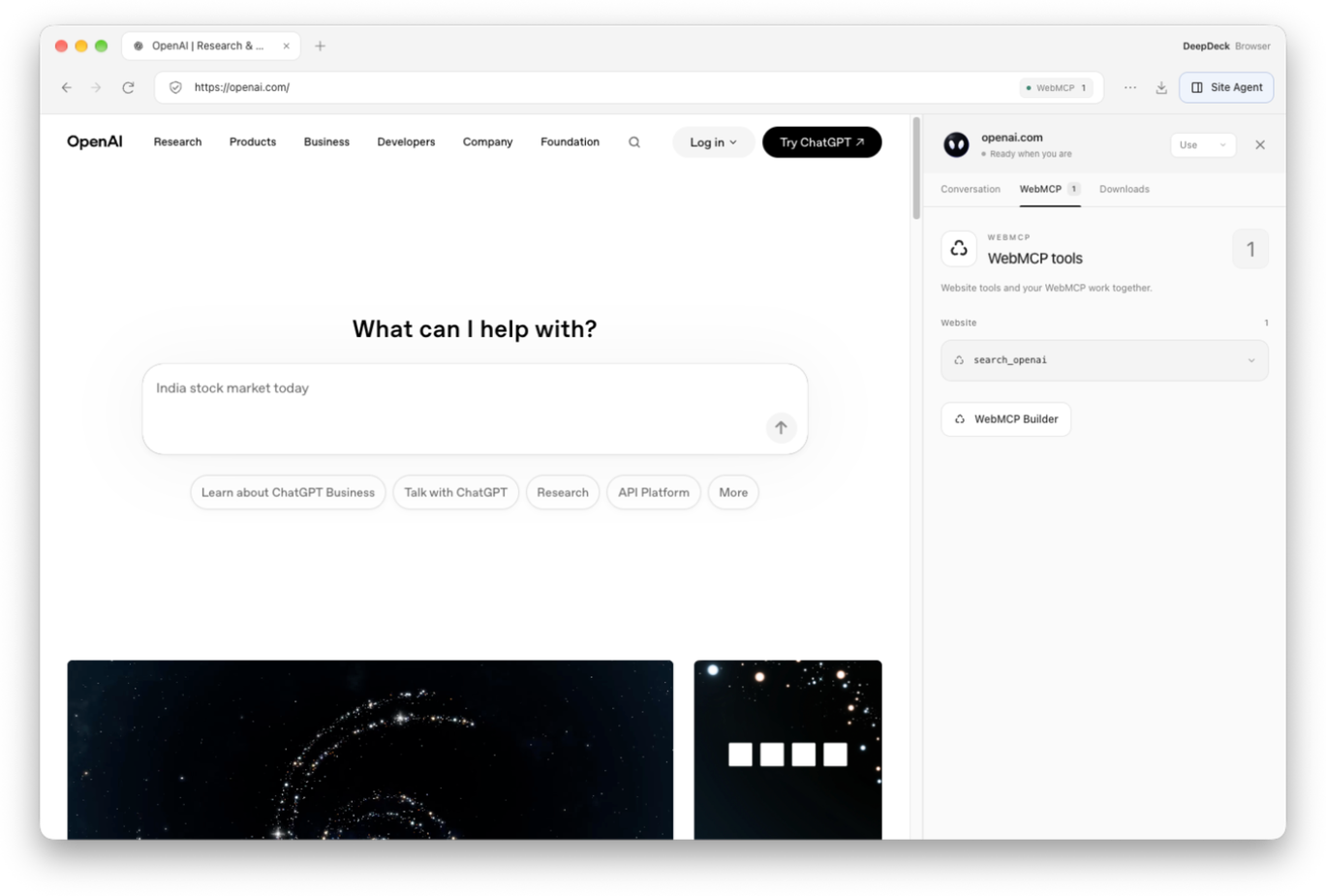
On openai.com, DeepDeck automatically discovers search_openai and lists it under Website, ready for the Agent to use.
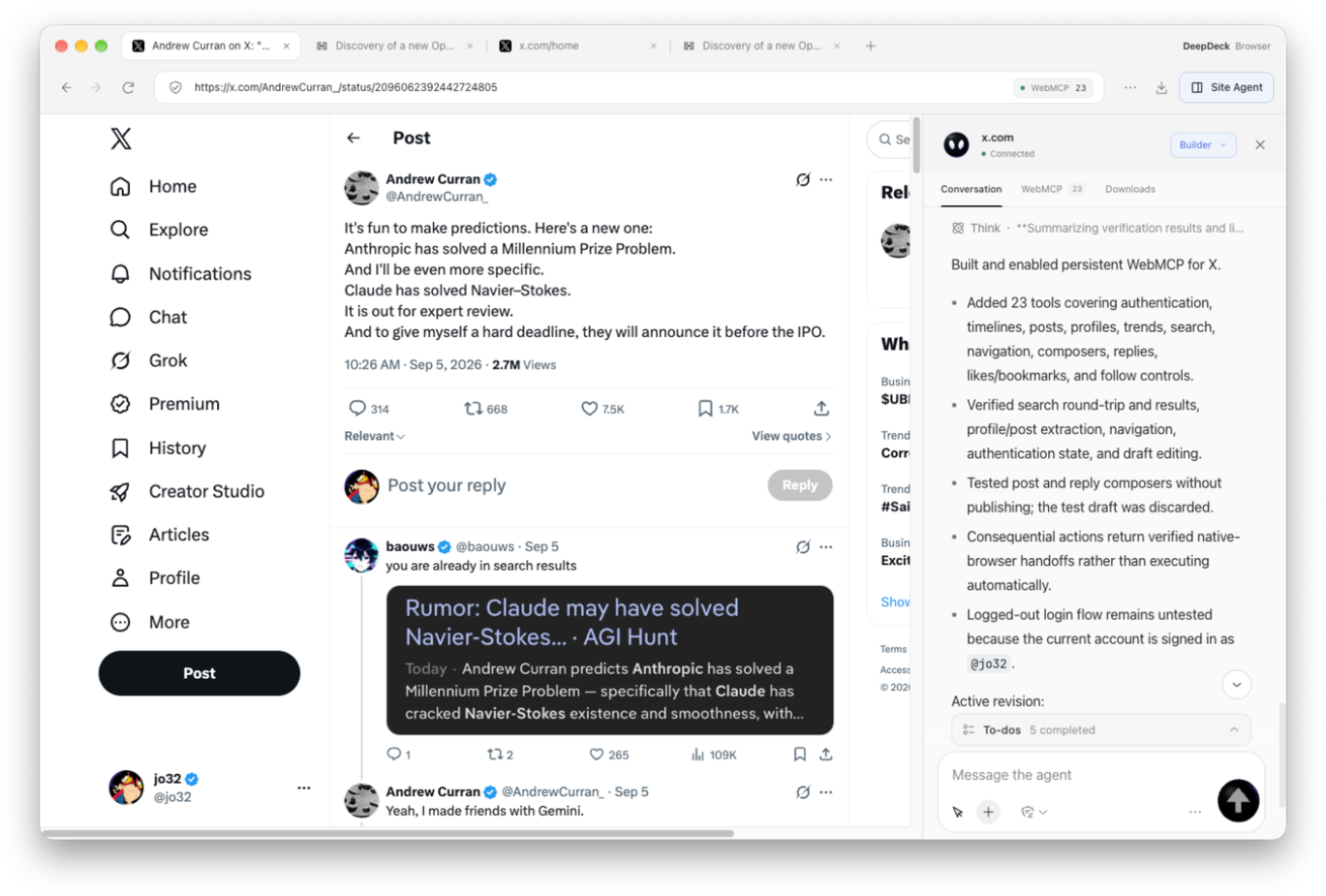
On X, set a goal such as search, post reading, or draft editing. Builder explores the live page, tries the workflows, and checks which operations accomplish the task.
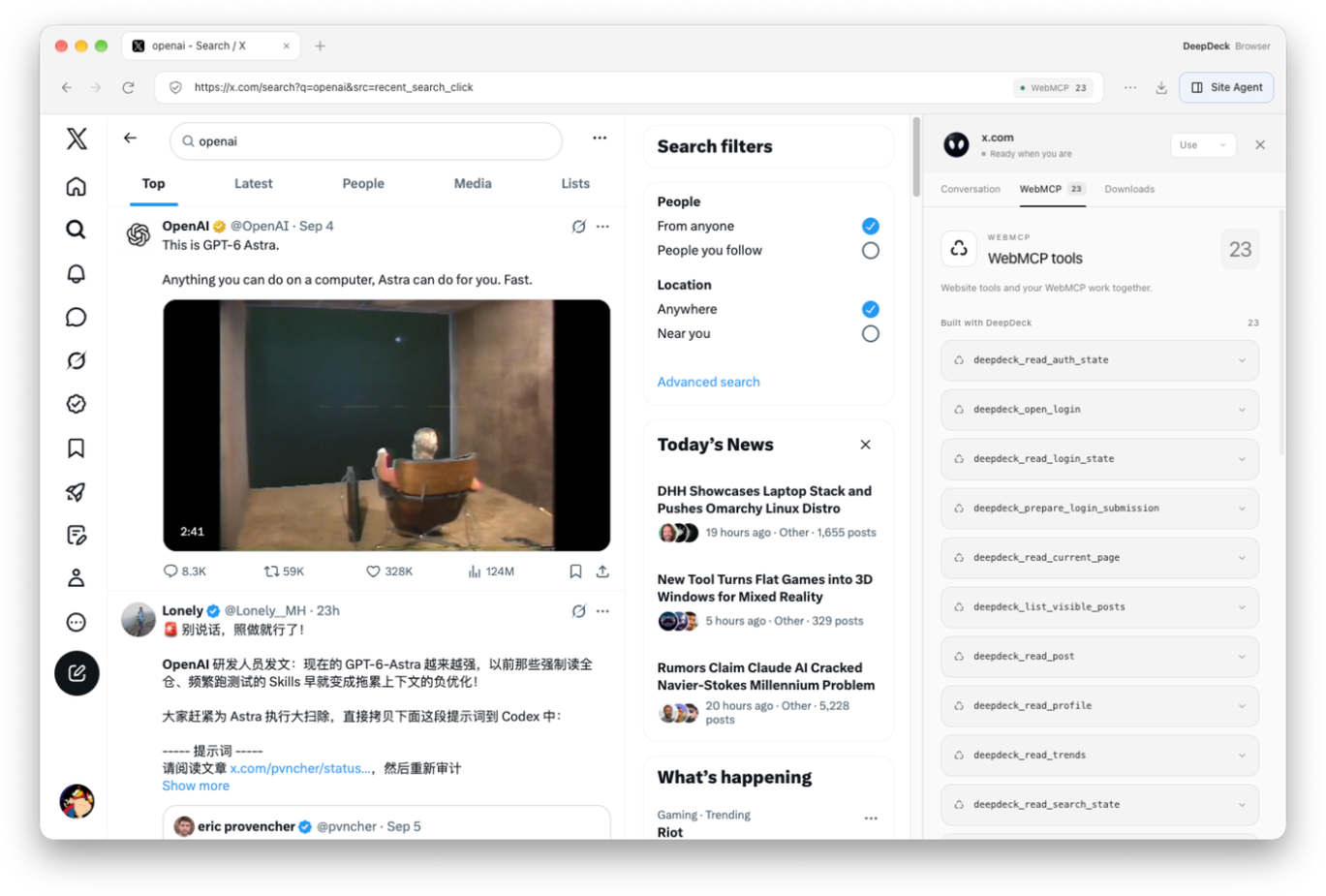
This X example saves verified operations as 23 tools under Built with DeepDeck. Enabled tools load when you return, with source inspection and version rollback available.
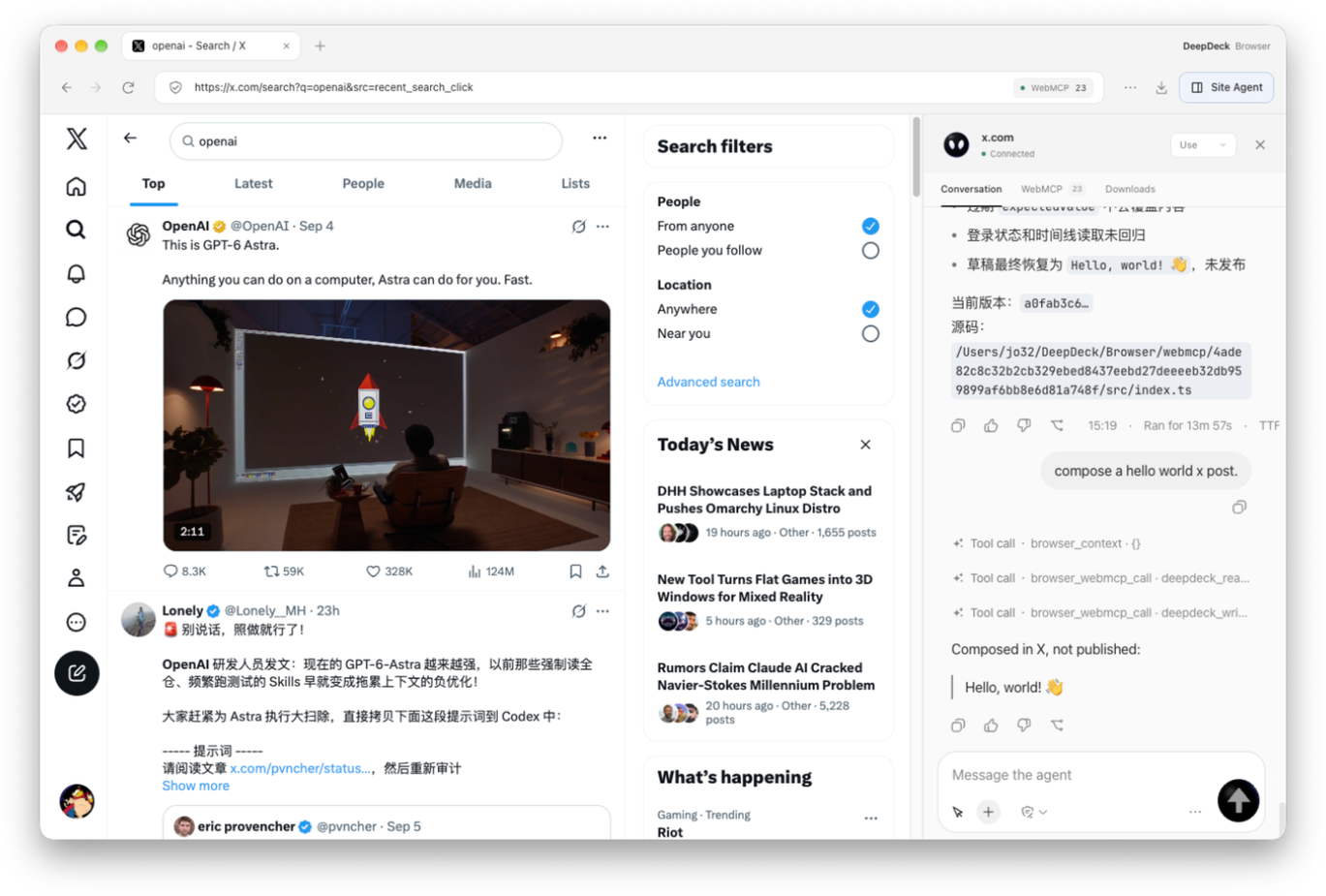
Ask “compose a hello world x post” and the Agent calls WebMCP to prepare a Hello, world! 👋 draft. The post is not published; filling and submitting are separate actions.
A DeepDeck App is an installable extension with its own window, settings, and AI conversations. Hacker News Reader is a complete example.
Reading, search, sign-in, and AI Actions such as Explain and Summarize all live inside the same App.
An App brings one focused way of working into DeepDeck: a dedicated window for the interface, a Workspace for context, and an Agent at the moments that need reasoning.
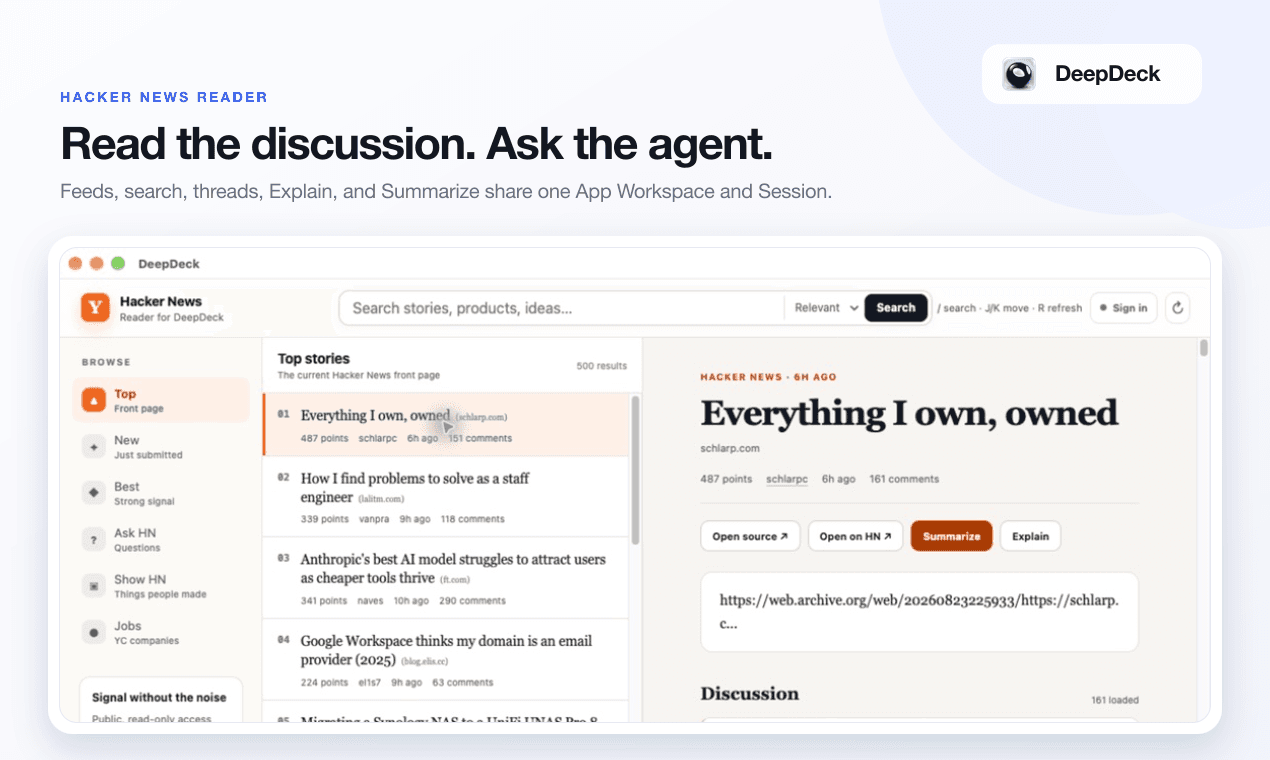
Browse live feeds, search stories, follow complete discussion trees, and ask the Agent to explain or summarize any story, comment, or selection.
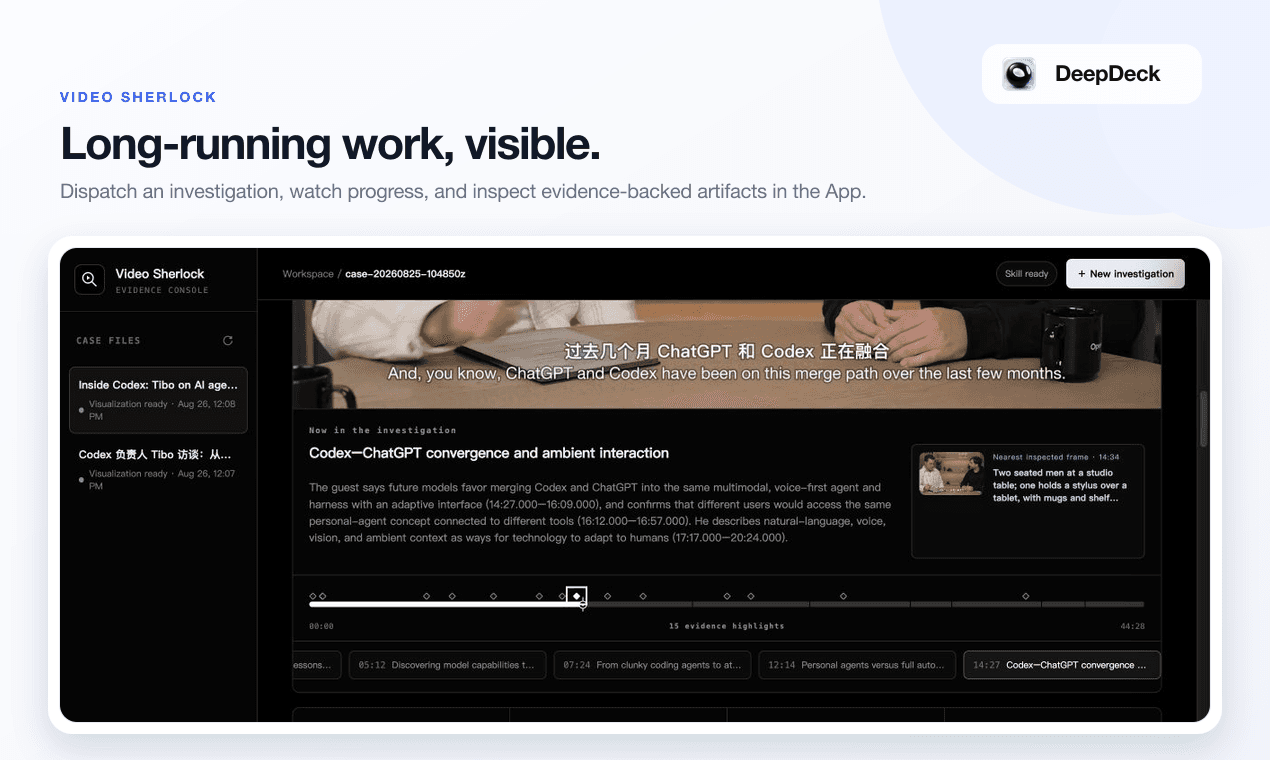
Turn long-form video investigation into a trackable case, watch work progress, and return to key moments on an evidence timeline.
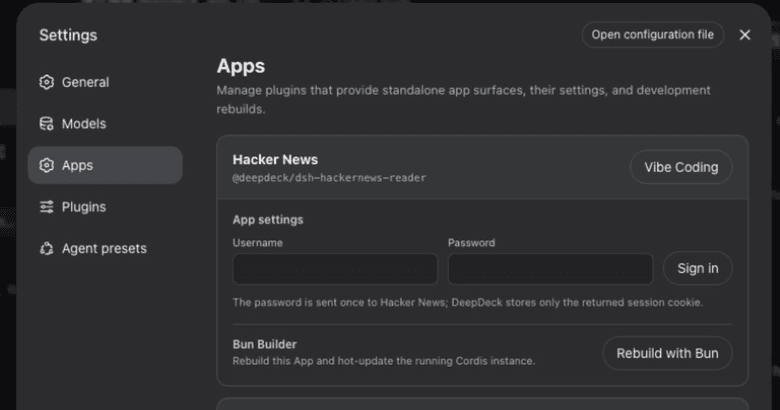
Each App can own its settings, credentials, canonical Harness Sessions, and a source-bound Creator Workspace.
No terminal required. DeepDeck inspects the source, package identity, and build command first, then installs only after you approve the plan.
Install the latest release and complete first-run setup.
Go to Settings → Apps and find the install control.
Pick either open-source App below and paste its Git address.
Choose Inspect source, review the build plan, then Confirm install and restart when prompted.
Choose an open-source App and paste its Git address into Install an App plugin
After restart, open the newly installed App from the Apps sidebar.
Settings → Apps → New App generates a complete Cordis Host / Client starter. Developers can also build and mount a public App source manually.
Read the Apps protocolgit clone https://github.com/jo32/dsh-hackernews-reader.git
cd dsh-hackernews-reader
pnpm install --frozen-lockfile
pnpm check && pnpm test && pnpm build
dsh plugin --profile web add "$PWD"Run the final command against a DeepDeck-managed web profile so the required App runtime is present.
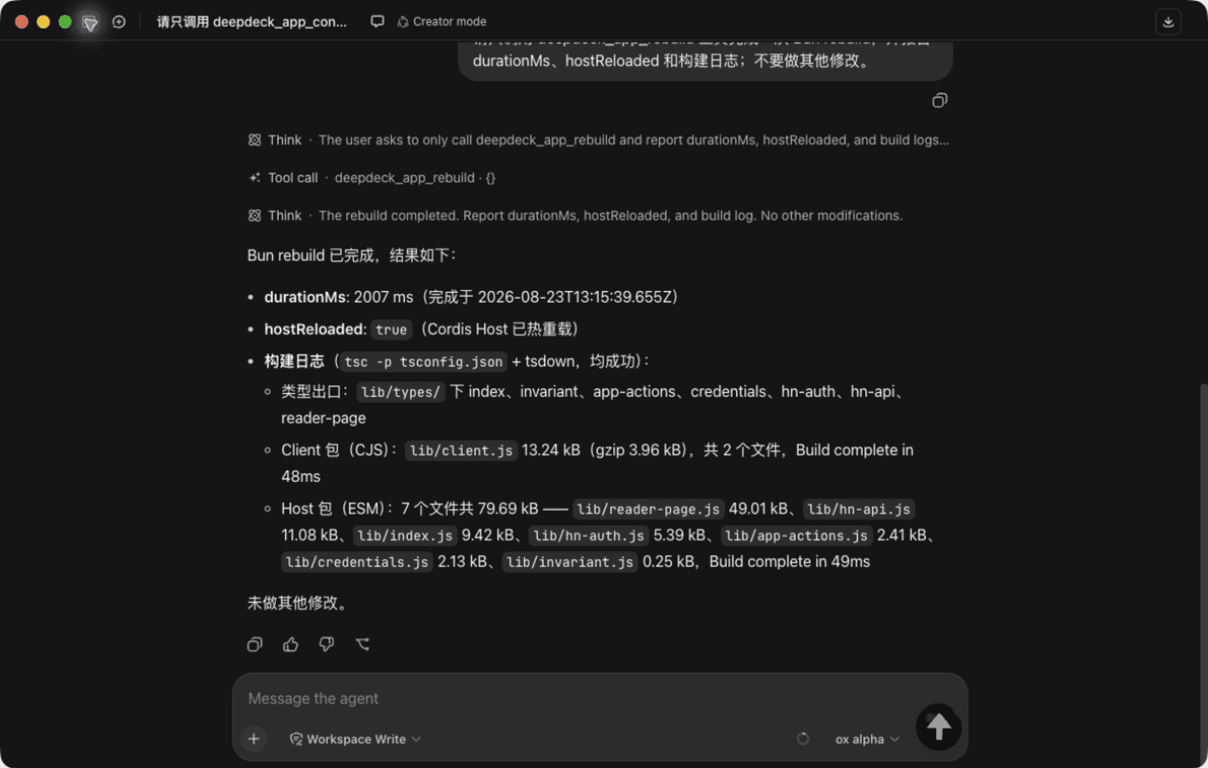
Vibe Coding is DeepDeck's AI-assisted app-building workflow. Open it from Hacker News settings to bind the source workspace; describe a change, and the Agent writes code while Bun and Cordis rebuild and hot-reload it.
Work, browse, and build. One desktop.
Download DeepDeckNew capabilities, meaningful improvements, and how to use them. Development previews and published features are labeled separately.
V1.0.38 / BROWSER / WEBMCP
Use the Site Agent and WebMCP Builder in v1.0.38 to turn reading, search, editing, and sign-in workflows into reusable website tools.
BROWSER / WEBMCP
Browser and WebMCP Builder bring the conversation alongside the page, turning discovered website capabilities into tools you can use again.
This entry describes the source preview before its installer release.